Preparación inicial
| Sitio: | STRATIO Training & Certification |
| Curso: | Práctica Generative AI Data Processing (14.6) |
| Libro: | Preparación inicial |
| Imprimido por: | Invitado |
| Día: | lunes, 7 de septiembre de 2026, 14:52 |
1. Pasos previos en rocket
Pasos previos en rocket
Dentro de Rocket, vamos a crear el proyecto que nos permitirá hacer todas las prácticas.
En primer lugar, vamos a crear el proyecto Rocket y a subir los archivos csv a una carpeta de trabajo en hdfs.
- Accede a Rocket y crea un nuevo proyecto con el nombre "DataProcessing_username" (seguido de tu username), si no tienes uno ya creado.
- Una vez creado el proyecto, inicia sesión en FileBrowser y navega desde tu directorio actual hasta el directorio global.
- Dentro de tu directorio de inicio recién creado, carga los archivos CSV que has visto en el Material proporcionado:

Desde allí navega hasta la siguiente ruta:

/students aquí crearás el directorio para tu práctica (es decir, /nombrecarpeta)
Nota: Recuerda la ruta donde subes los archivos csv, la necesitarás en otras secciones.
2. Creación de tablas en el virtualizador
Creación de tablas en el virtualizador
Ahora vamos a crear en el catálogo (virtualizador) las tablas necesarias apuntando a los ficheros previamente subidos a hfds:
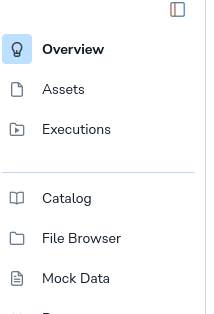
En el proyecto de rocket que creamos anteriormente vamos al catálogo:
Y vamos a crear una nueva consulta para ejecutar estas tres sentencias:
CREATE TABLE german_credit_data_[id_unico]
(ID INT, Age INT, Sex STRING, Job INT, Housing STRING, Saving_accounts STRING,
Checking_account STRING, Credit_amount INT, Duration INT, Purpose STRING, Risk STRING)
USING csv OPTIONS ( header 'true', inferSchema 'true',
path '/certification/governance/students/[nombre de tu carpeta]/german_credit_data.csv' )
CREATE TABLE client_credit_requests_today_[id_unico] (ID INT, Age INT, Job INT, Credit_amount INT,
 Duration INT, Purpose_car INT, Purpose_domestic_appliances INT, Purpose_education INT,
 Purpose_furniture_equipment INT, Purpose_radio_TV INT, Purpose_repairs INT,
 Purpose_vacation_others INT, Sex_male INT, Housing_own INT, Housing_rent INT,
 Savings_moderate INT, Savings_no_inf INT, Savings_quite_rich INT, Savings_rich INT,
 Risk_bad INT, Check_moderate INT, Check_no_inf INT, Check_rich INT,
 Age_cat_Young INT, Age_cat_Adult INT, Age_cat_Senior INT)
 USING csv OPTIONS ( header 'true', inferSchema 'true',
 path '/certification/governance/students/[nombre de tu carpeta]/clients_today.csv' )
CREATE TABLE client_external_info_[id_unico] (ID INT, LegalCase INT, FraudSuspicion INT,
PoliceReport INT, ContactAudit INT, UkvCheck INT, AddressFraudCheck INT)
USING csv OPTIONS ( header 'true', inferSchema 'true',
path '/certification/governance/students/[nombre de tu carpeta]/external_list.csv' )
Ahora vuelve al catálogo y comprueba que se han creado tus tablas.